People
Add your team and their role details in People. Use those people for project assignments and permissions.
Plug and playSign in and it works. Add people and their role details, then assign them to their projects.
Learn how
Feature directory · 8 tools
Put the right people, trades, and suppliers on the job. Give each one the access they need.
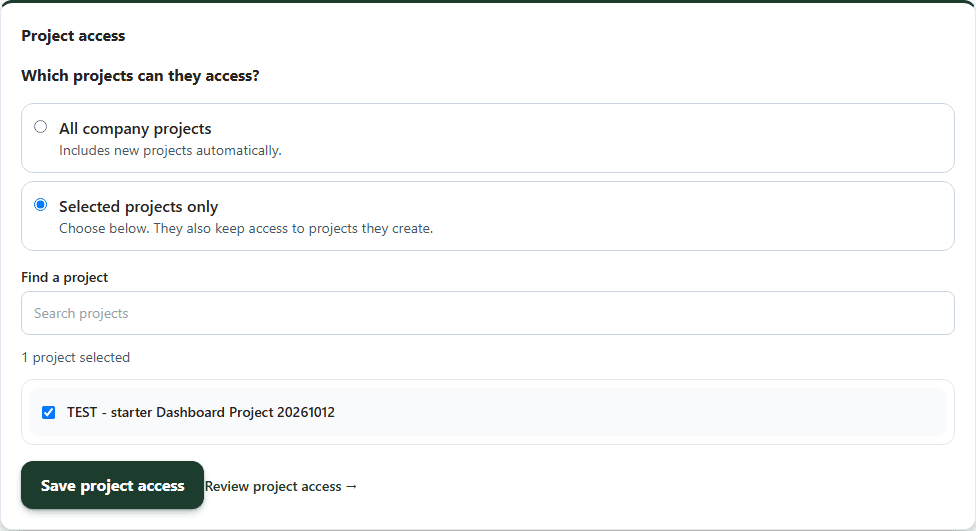
Give each person the tools and projects they need.
Add the person. Add the person in People with their type and contact details; only administrators and team members use seats.
Choose team permissions. Create a position in Team permissions and assign it in People, or set permissions per team member.
Choose project access. In Permissions, give a team member All company projects or Selected projects only, then save.
Review the view. Check each team member’s projects in Review project access, and preview client, trade and supplier dashboards from Project team.
Feature group
Put the right people, trades, and suppliers on the job. Give each one the access they need.
Plug and play: sign in and it works. Your plan, permissions and project assignment apply.
8 tools match.
Add your team and their role details in People. Use those people for project assignments and permissions.
Plug and playSign in and it works. Add people and their role details, then assign them to their projects.
Learn howAdd a company’s trade, insurance, and contact details so your team can select it for POs and bids.
Learn howAdd a vendor certificate and expiry date to the vendor details.
Learn howAssign a saved job title or role to a person in People.
Plug and playSign in and it works. Create company positions to organize people and assignments.
Learn howChoose each person’s access and project assignments to control the records they can open.
Learn howAssign a person to a project so their dashboard and project views show that job.
Learn howOpen a role preview to check the client, trade, or supplier view before you share it.
Learn howSet team routing and availability. HHM Connect uses those settings for incoming calls.
Learn howCookies help us understand how this website is used.