Draft assistance
Use credit on any plan. Open Instant quote, enter the work description, and review the estimate’s scope, quantities and prices before sharing or sending.
Learn how
Feature directory · 5 tools
Have HHM Intelligence prepare a draft or highlight work for review. Your team makes the call.
Estimate drafts and project questions use credit on every plan. Council and Risk Radar require Pro or higher.
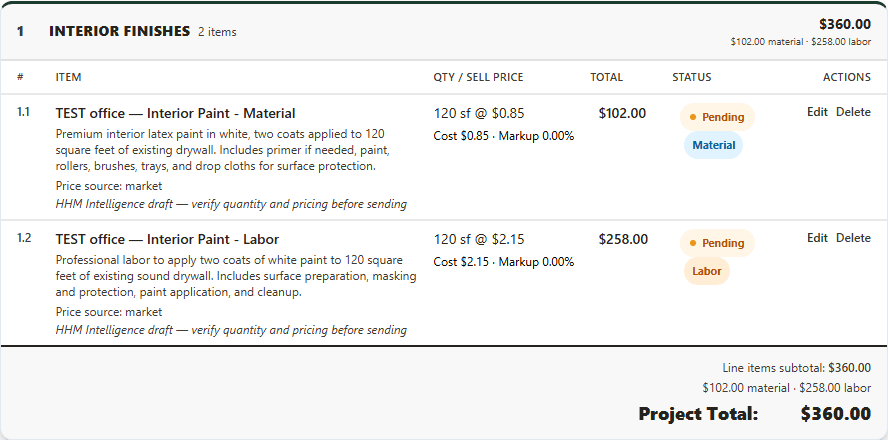
Draft the estimate. Open Instant quote in the project, enter a title, area and work description, and choose Create quote.
Check the draft. Check the estimate’s scope, quantities and prices, then edit it before sharing or sending.
Ask about the job. Open Ask HHM Intelligence in the project, type a question, and choose Ask.
Check the answer. Compare the answer with the job records you can access before you act.
Review with Council. On Pro or higher, open a quote with line items and run Council review before sending.
Review Risk Radar. On Pro or higher, choose Scan portfolio or Refresh now in Risk Radar, then review the job details.
Feature group
Have HHM Intelligence prepare a draft or highlight work for review. Your team makes the call.
Plug and play: sign in and it works. Your plan, permissions and project assignment apply.
5 tools match.
Use credit on any plan. Open Instant quote, enter the work description, and review the estimate’s scope, quantities and prices before sharing or sending.
Learn howTeam members on every plan use credit to ask about project records they can access. Compare the answer with the saved job details.
Learn howRun Council review on a quote with line items. Check the recommendation before sending the estimate.
Learn howChoose Scan portfolio or Refresh now on the dashboard. Review budget, schedule, materials and staffing signals against the job details.
Learn howAllow microphone access and speak into a supported field. Review the text before you submit the form.
Learn howCookies help us understand how this website is used.