Help center
Accept client payments and add financing information to a quote
Accept card and bank payments, follow payment updates, and keep lender information beside your quote.
Accept client card and bank payments
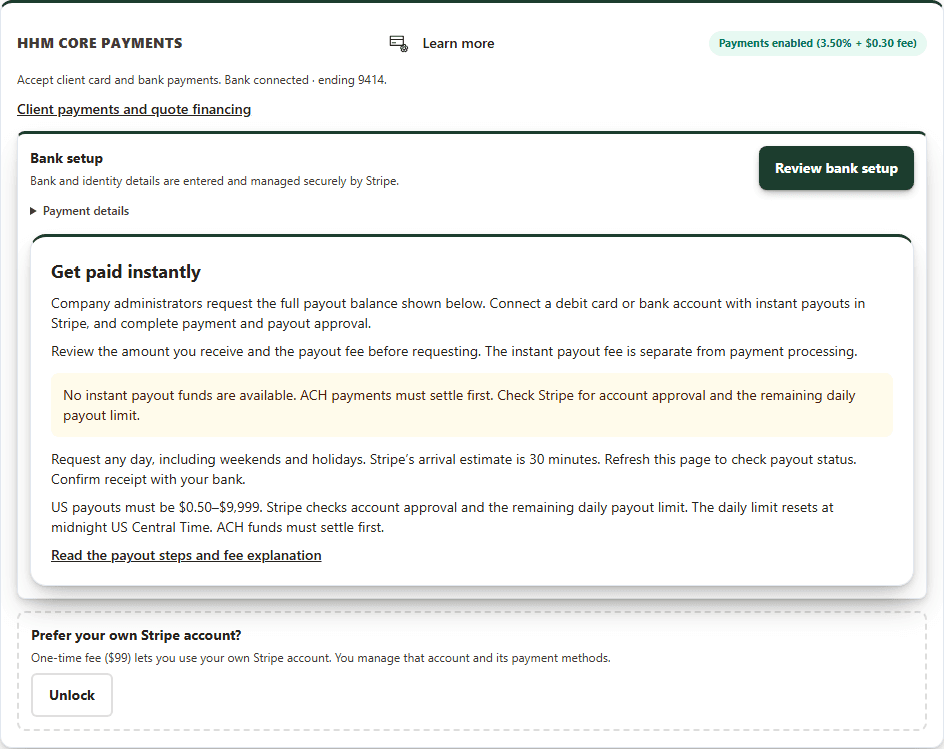
- Open Connections and choose Add your bank account.
- Complete secure payment setup.
- Open the project and send a payment request. Your client opens the payment link and chooses card or bank transfer.
- Open the project to review its paid confirmation and receipt.
Payment fees and instant payouts
| Payment type | Fee |
|---|---|
| Card | 3.5% + $0.30 |
| Bank transfer | 0.9% with a $9 minimum |
| Instant payouts | 1.4% |
Open Collect a payment to review available funds and request an instant payout. Choose payment alert preferences in Notifications.
Read client payment stepsFinancing
Project Management keeps the quote and lender information together so your client has a clear next step.
Add lender information manually
- Confirm the application link and current terms with the lender.
- Add the lender information to the quote.
- Send the quote. Your homeowner opens the application link while reviewing the work and price.
Keep lender accounts separate
HHM does not connect or enroll lender accounts. The lender handles its own application process, approval, and final loan terms.
The lender handles approval and final loan terms.